AI Retargeting Publisher Integration in Shopify
To activate another publisher who promotes your shop on a commission basis, you only need to add ONE single code to your Shopify store.
That’s how it works:
1. Log in to Shopify
Log in to your Shopify admin dashboard.
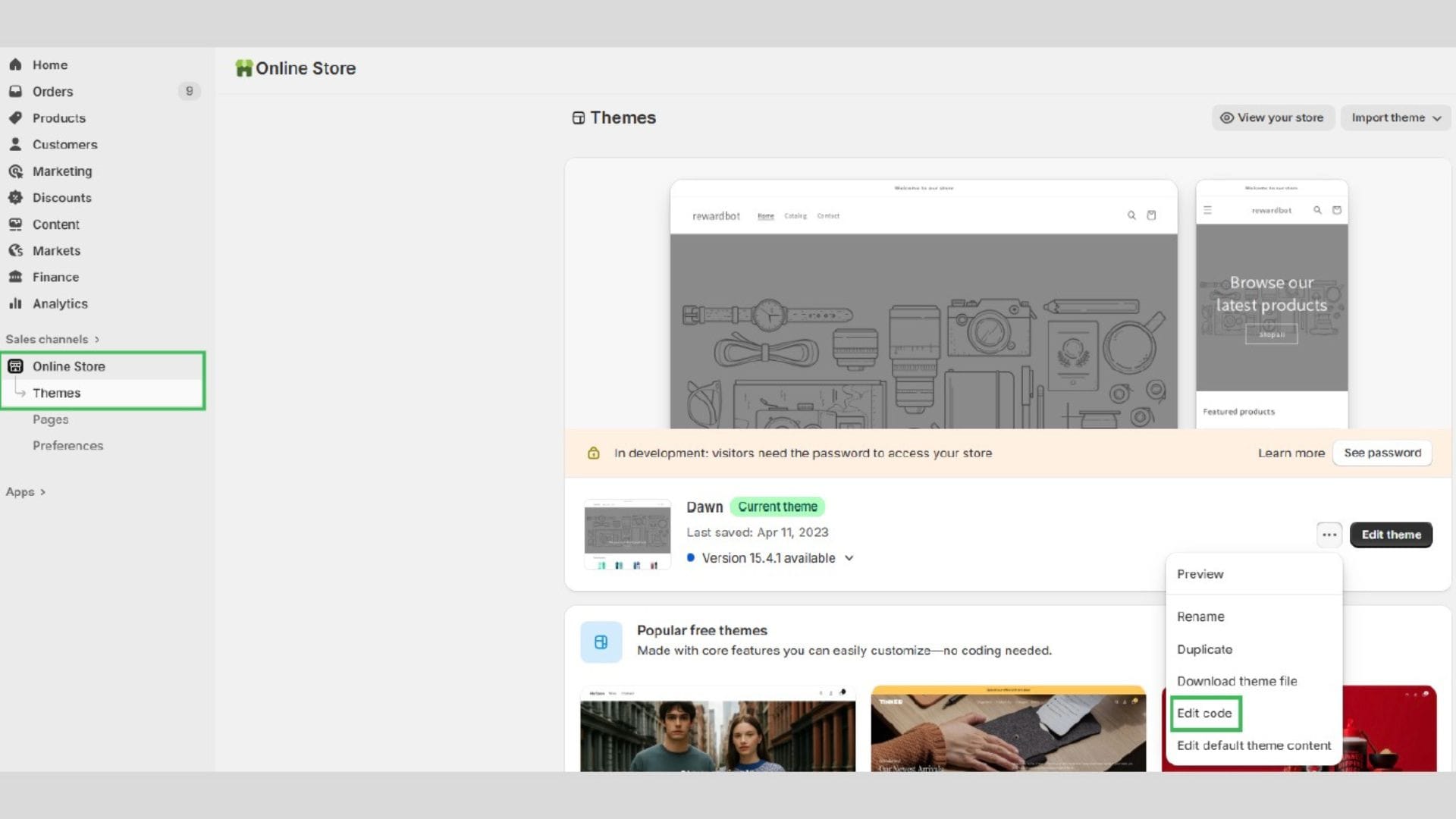
2. Go to your theme
Click on Online Store → Themes in the left menu.
3. Edit the code
Click the three dots (⋯) next to your active theme and select Edit code.
4. Open theme.liquid
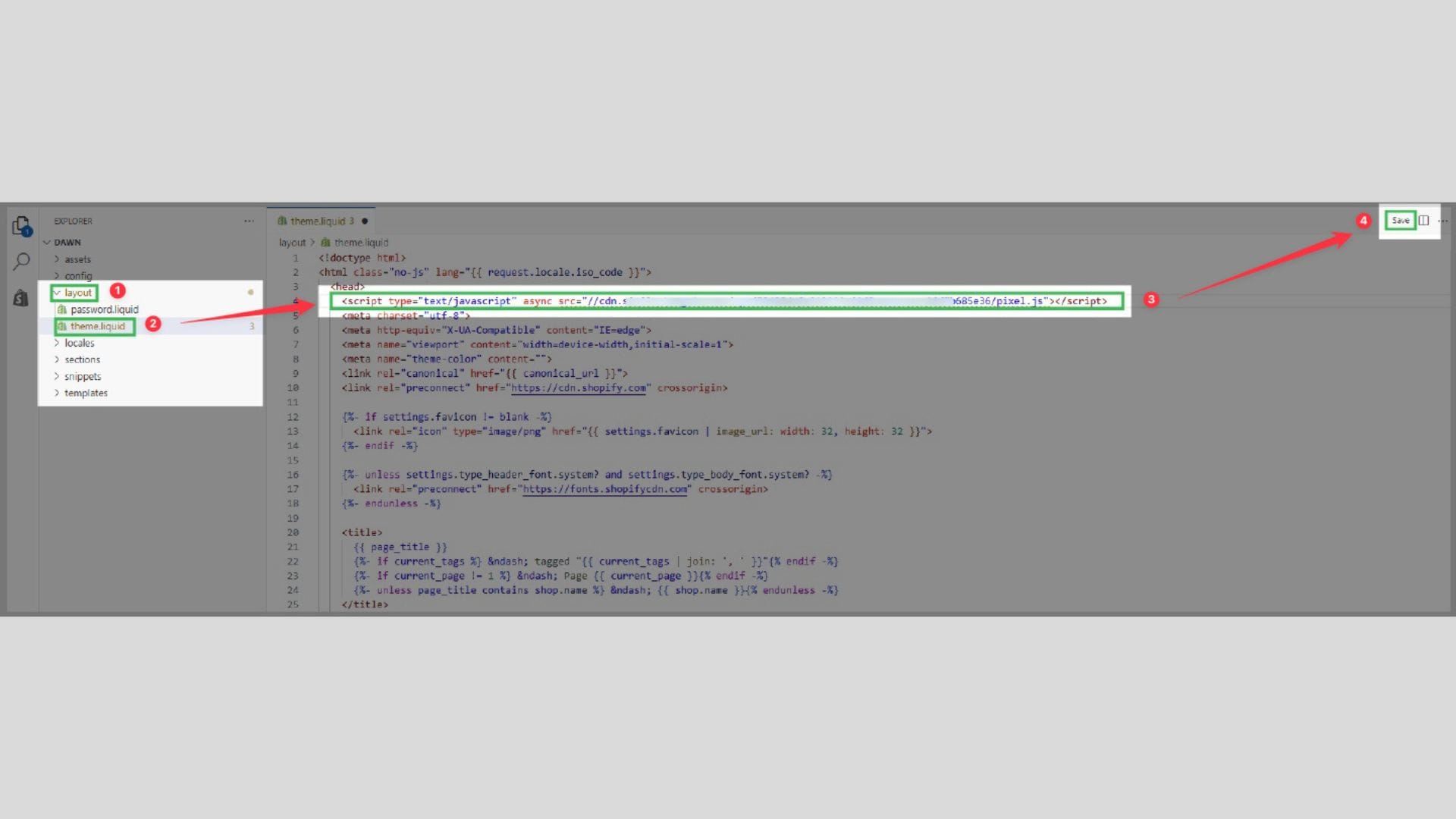
In the Layout section, open the file called theme.liquid.
5. Insert the selecdoo code
Search for <head> in the file.
Paste the selecdoo code directly below it, click Save — done.