Install the Shopify app
BEFORE YOU START:
Read through the onboarding carefully and follow each step in order. The credentials in Step 3 must be entered completely and correctly for tracking to work.
Step 1 – Open the install link
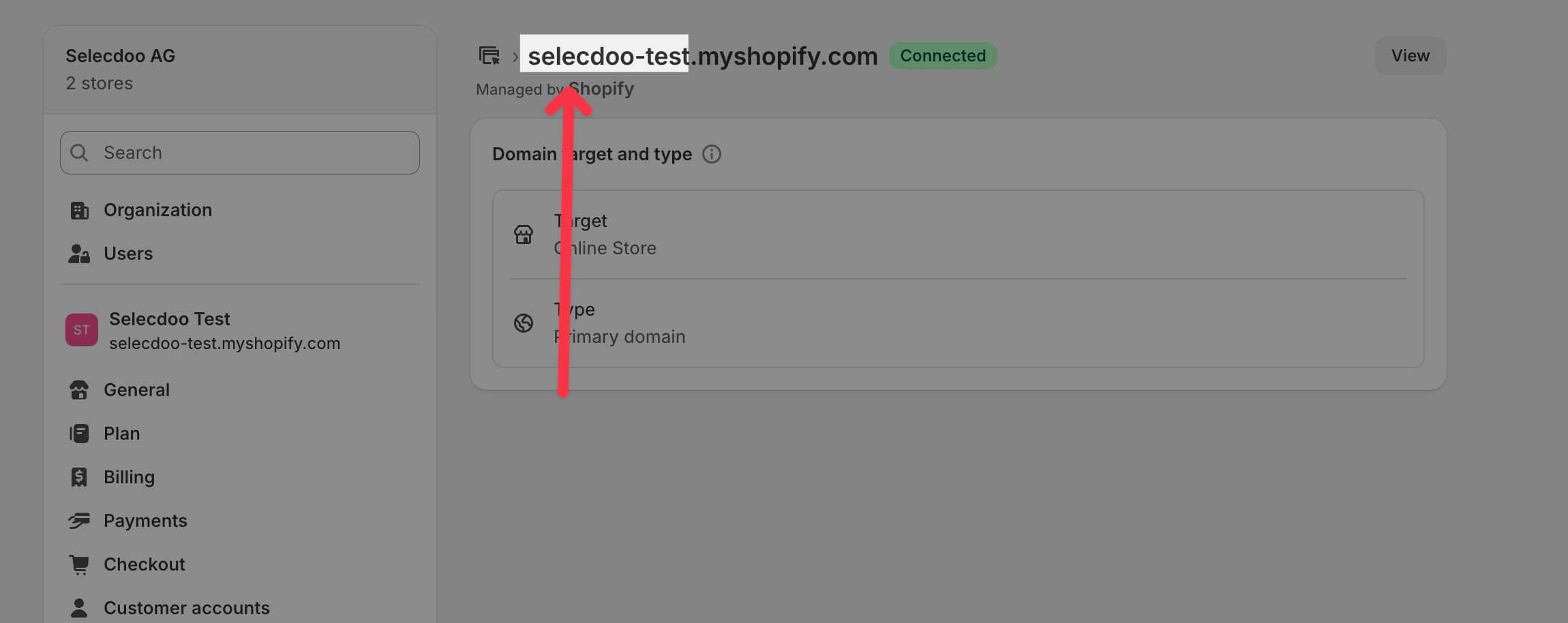
Open the link below in your browser. Replace [shop-name] with your own myshopify.com URL.
https://[shop-name].myshopify.com/admin/oauth/install?client_id=f41819e5439f5fcbd084e69a8f0211bf
The myshopify.com URL can be found in the Shopify admin under Settings > Domains. It is listed directly in the domain list and ends in .myshopify.com.
Step 2 – Install the app
Click Install on the Shopify page.
Step 3 – Enter credentials
Enter these three values in the onboarding wizard:
- Account ID: [ACCOUNT-ID]
- Campaign ID: [CAMPAIGN-ID]
- API Key: [API-KEY]
All three values are provided by selecdoo. Request them by email at .
Step 4 – Verify tracking
Tracking starts automatically. Use the test link in the app settings to confirm everything is working.Du hast gesagt: slugslug
Schritt 2 – App installieren
Auf der Shopify-Seite auf Install klicken.
Schritt 3 – Zugangsdaten eingeben
Im Onboarding-Wizard diese drei Werte eintragen:
- Account-ID: [ACCOUNT-ID]
- Campaign-ID: [CAMPAIGN-ID]
- API-Key: [API-KEY]
Alle drei Werte kommen von selecdoo im laufe des Setup Prozesses.
Anfrage per Mail an .
Schritt 4 – Tracking verifizieren
Das Tracking startet automatisch. In den App-Settings gibt es einen Test-Link zur Überprüfung.